

Here’s the problem: I ‘bought’ my own Kindle ebook while I was running a Free Book Promotion; I later made some minor changes; now I’d like to get the latest version for my Kindle Library.
It should be straightforward, but it isn’t.
Here are some of the things I’ve tried:
- enabling Automatic Book Updates on my Amazon account
- deleting the book from my device then re-downloading it from Amazon (Account > Manage Your Content and Devices > Deliver)
- deleting the book from my Amazon account, then ‘buying’ it again during another Free Book Promotion
I tried all those things, and nothing worked. Every time, I ended up with the same (old) version of my ebook in my Kindle Library.
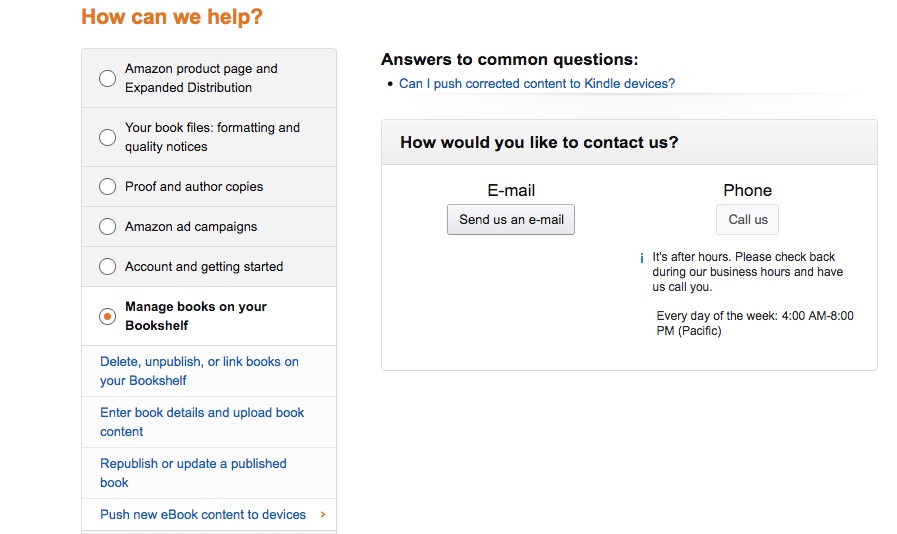
Finally, I decided to contact Kindle Direct Publishing (KDP). The ‘Contact Us’ button is at the bottom of all KDP pages.
Once you’ve clicked Contact Us, there are options (see the main image at the top of this post).
Having selected ‘Manage books on your Bookshelf’ and ‘Push new eBook content to devices’, I clicked on ‘Send us an e-mail’.
I was presented with a text field which already had quite a lot of text in it.
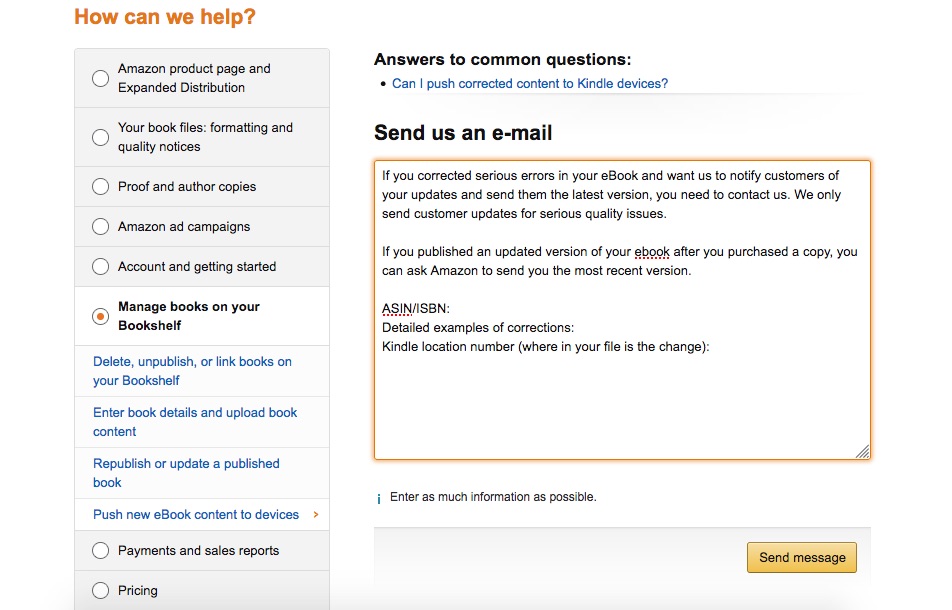
KDP are telling you what to say in a message to KDP, which seems self-defeating, and is definitely irritating.
Anyway, I deleted most of it, and just asked them to push the updated version of my ebook to my account.
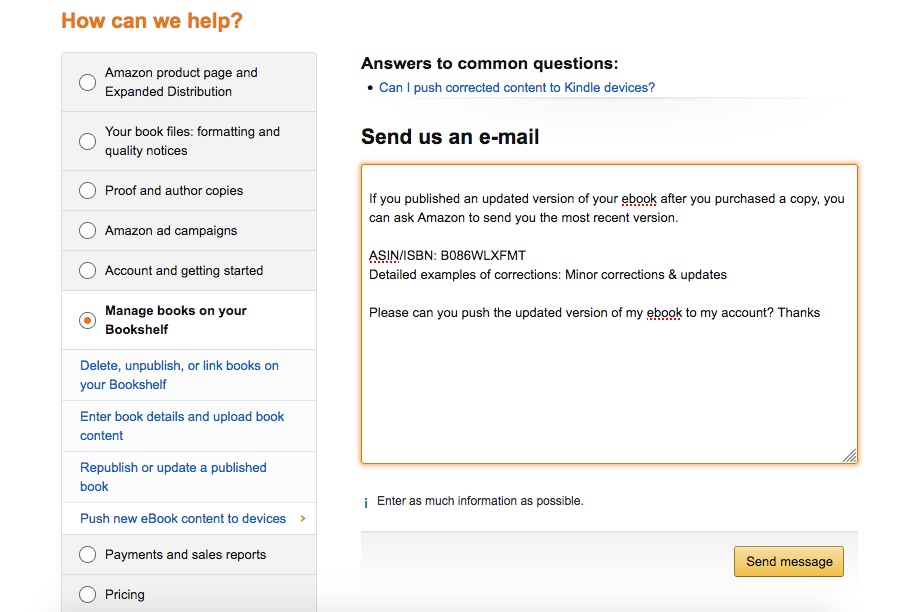
I got an acknowledgement.

That was Sunday night. On Monday morning, I had an email from Amazon, saying they had sent the updated version of my book to my Kindle Library.
It worked! I’ve got the latest version.
I think it’s the only reliable way to get the latest version of your own Kindle ebook for your Kindle Library.